
How to Compress Images: A Complete Guide
Learn effective techniques to compress images while maintaining quality. Explore lossy vs lossless compression methods.
Why Image Compression Matters
In today's digital world, image file sizes significantly impact website performance and user experience. Large image files lead to slower page load times, increased bandwidth usage, and poor SEO rankings. Image compression is essential for:
- Faster Loading Times: Smaller images load quicker on all devices
- Better SEO Performance: Google prioritizes fast-loading websites
- Reduced Bandwidth Costs: Save on hosting and CDN expenses
- Improved Mobile Experience: Critical for users on slower connections
Understanding Compression Types
Lossy Compression
Lossy compression reduces file sizes by removing some image data. This method is ideal for photographs and complex images where minor quality loss is acceptable.
Advantages:
- Achieves 50-90% file size reduction
- Can compress JPEG images to 10% of original size
- Perfect for web use where perceived quality matters
- Significantly faster loading times
Disadvantages:
- Permanent data loss
- Quality degradation when edited multiple times
- Not suitable for archival purposes
- Visible artifacts at extreme compression levels
Best for: Web images, photographs, product images, blog featured images
Lossless Compression
Lossless compression reduces file sizes without sacrificing any data. When decompressed, the image is identical to the original.
Advantages:
- Preserves all original image data
- Quality remains identical after editing
- Typically 10-30% file size reduction
- Ideal for archival and professional use
Disadvantages:
- Smaller file size reduction compared to lossy
- Larger files than lossy compression
- Slower compression/decompression process
- May not be necessary for web use
Best for: PNG images, graphics, illustrations, archival storage, print-quality images
Step-by-Step Guide to Compress Images
Step 1: Choose the Right Format
Select the appropriate image format for your use case:
- JPEG: Best for photographs and complex images (lossy)
- PNG: Best for graphics, transparency, and quality preservation (lossless)
- WebP: Modern format offering 25-35% better compression than JPEG/PNG
- GIF: Only for simple animations or graphics
Step 2: Use Online Tools
For quick and easy compression, use online tools like:
CropCompress (Recommended)
Visit cropcompress.com for:
- Simple drag-and-drop interface
- Multiple compression options
- Real-time file size preview
- Batch processing capability
- No registration required
- Free compression service
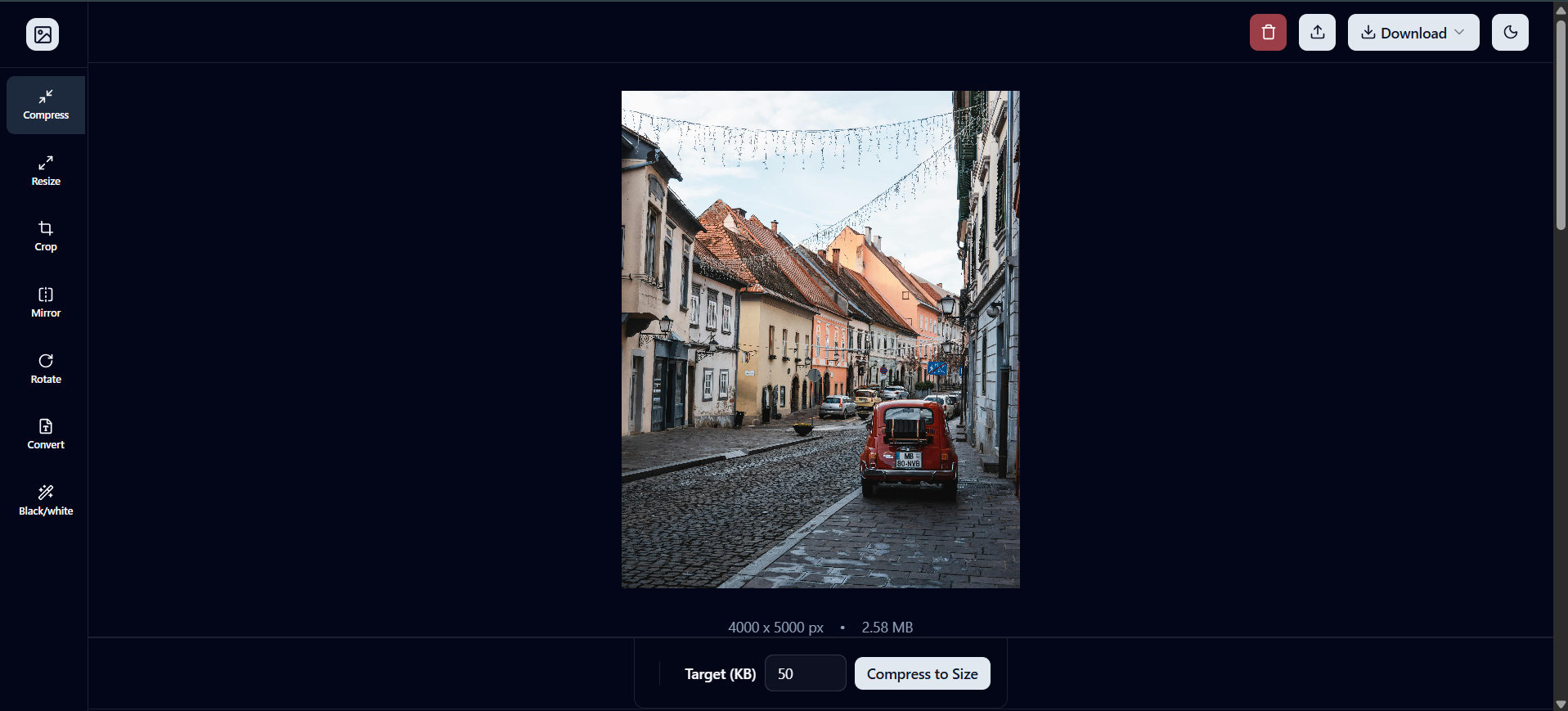
Step 3: Configure Compression Settings
When using CropCompress:
- Upload your image
- Select target file size or compression percentage
- Choose quality level (75-85% is ideal for most images)
- Preview the result
- Download the compressed image
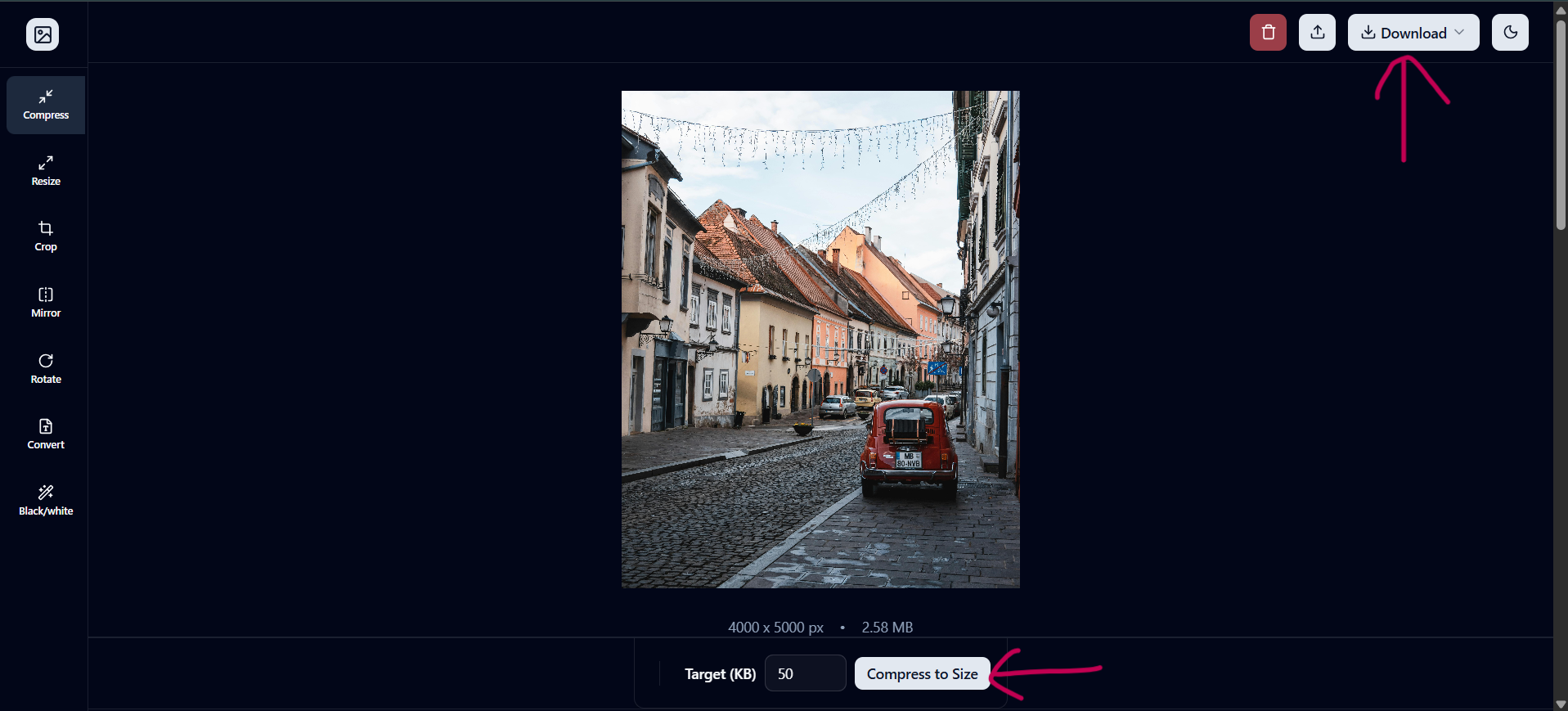
Step 4: Verify Results
Always check:
- Visual quality matches your requirements
- File size meets your target (typically under 200KB for web)
- No unwanted artifacts or distortion
- Color accuracy is maintained
Best Practices
- Compress Before Upload: Always compress images before uploading to your website
- Batch Process: Use batch tools for multiple images
- Maintain Backups: Keep original, uncompressed copies
- Test on Devices: Verify quality on various devices and screen sizes
- Use Modern Formats: Adopt WebP for better compression
- Optimize for Mobile: Ensure mobile-friendly image sizes
- Monitor Performance: Track your Core Web Vitals metrics
Comparison Table
| Method | Compression Rate | Quality | Time | Best Use |
|---|---|---|---|---|
| Lossy (Smart) | 50-90% | Good | Fast | Web images |
| Lossless | 10-30% | Perfect | Moderate | Archives |
| WebP (Lossy) | 60-80% | Excellent | Fast | Modern web |
| WebP (Lossless) | 20-40% | Perfect | Moderate | Web graphics |
Recommended Workflow
For the best results, follow this workflow:
- Export from editor at reasonable quality (90-95%)
- Compress using CropCompress.com
- Test on multiple devices
- Optimize further if needed
- Deliver compressed version to production
Conclusion
Image compression is a crucial skill for web developers and content creators. By understanding the difference between lossy and lossless compression, and using tools like CropCompress.com, you can significantly improve your website's performance without sacrificing visual quality.
Start compressing your images today and watch your page load times improve!